Import, export & backup
The app can move data in and out in a few ways. Export, Print, and Full backup are available to everyone (including viewers). Importing and Restoring change data, so they're for editors/admins.
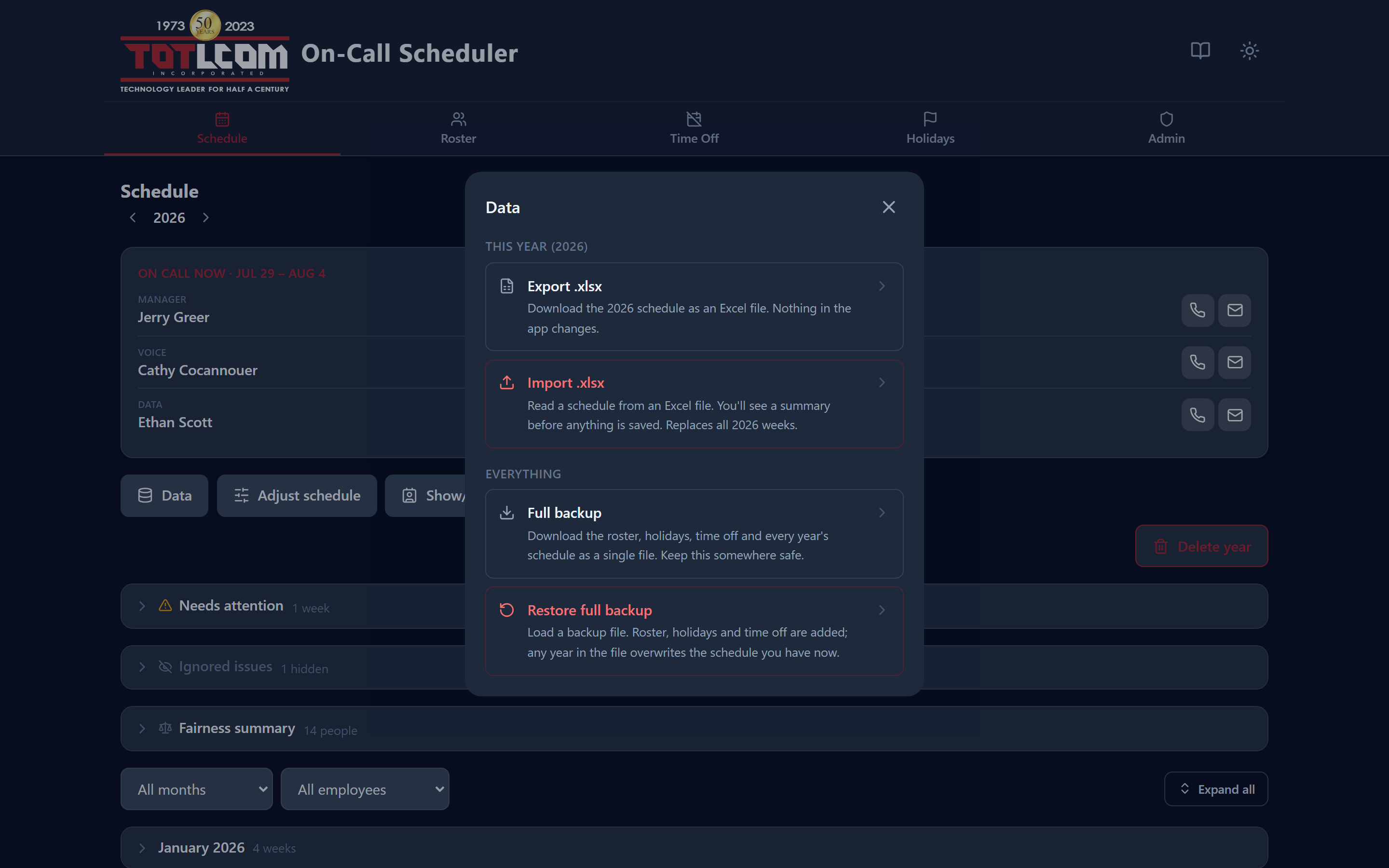
This year's Excel import/export at the top, whole-app backup below.
The Data menu
On the Schedule screen, click Data. Everything that moves data in or out lives here, split into two groups so the scope is obvious:
| Group | Actions | Scope |
|---|---|---|
| This year | Export .xlsx, Import .xlsx | Only the year you're currently viewing |
| Everything | Full backup, Restore full backup | The entire database, all years |
That distinction is the thing to get right: an Excel export is one year's schedule; a full backup is everything the app knows.
Print stays on the main toolbar rather than in this menu, since it's a one-click view action.
Schedule — Excel (.xlsx)
Under Data → This year:
- Export .xlsx downloads the year as an Excel file that keeps the original sheet's behavior (dropdowns and the auto-filled phone/email columns).
- Import .xlsx replaces a year's schedule from an Excel file you upload. You'll see a summary of what was found — including any names that couldn't be matched — before anything is saved. Holiday weeks are recognized from the Holidays settings on import, so the exact way the file marks them doesn't matter.
Warning
Importing a schedule replaces that entire year, and clears any covered days (day overrides) in it. The app saves a snapshot first, so you can Restore from History → Snapshots if needed — restoring brings the covered days back too.
Holidays & Time Off — CSV
On the Holidays and Time Off screens:
- Export downloads the current list as a CSV (opens in Excel or Google Sheets).
- Import loads a CSV. When data already exists, you'll be asked how to handle it:
- Overwrite everything — replace the whole list with the file, or
- Add new & update changed — keep what's there, add new rows, update changed ones, and skip identical rows.
Time Off CSV uses names
The Time Off CSV matches people by name. Any name that doesn't match someone in the Roster is reported and skipped, so check the summary after importing.
Full backup & restore (JSON)
Under Data → Everything:
- Full backup saves everything — roster, holidays, time off, and every year's full schedule, including covered days (day overrides) — into a single JSON file. Keep these somewhere safe; it's your safety net.
- Restore full backup loads such a file back in, covered days included. Backups made before day overrides existed simply have none.
Restore overwrites
Restoring a backup overwrites each year's schedule (and the other data) with what's in the file. Only restore a backup you trust, and take a fresh full backup first.
History logs — CSV
History has its own exports, one per tab, reached from the Schedule screen:
- Snapshots → Export CSV — one row per saved version of the year.
- Activity → Export CSV — one row per recorded change, covering everything matching your current filters (not just the page on screen).
These are deliberately two separate files. A snapshot and an audit entry describe different things, so merging them would produce a spreadsheet where half the columns are blank on any given row.
Everything here is logged
Exports, full backups, prints, imports and restores are all recorded in History → Activity, along with who did it and when. That includes actions that only download a file — so if contact details leave the app, there's a record of it.
A good routine
A simple habit that prevents most "oh no" moments: take a full backup before any big change (a fresh Generate, a large import, or a restore). It takes seconds and the file is your undo of last resort.